
How to Do the AI Cartoon Trend: Photo, Face Reveal & More
How to do the AI cartoon trend: turn your photo into a cartoon, then post a before-and-after or a face reveal, plus couple, pet and family versions to try.
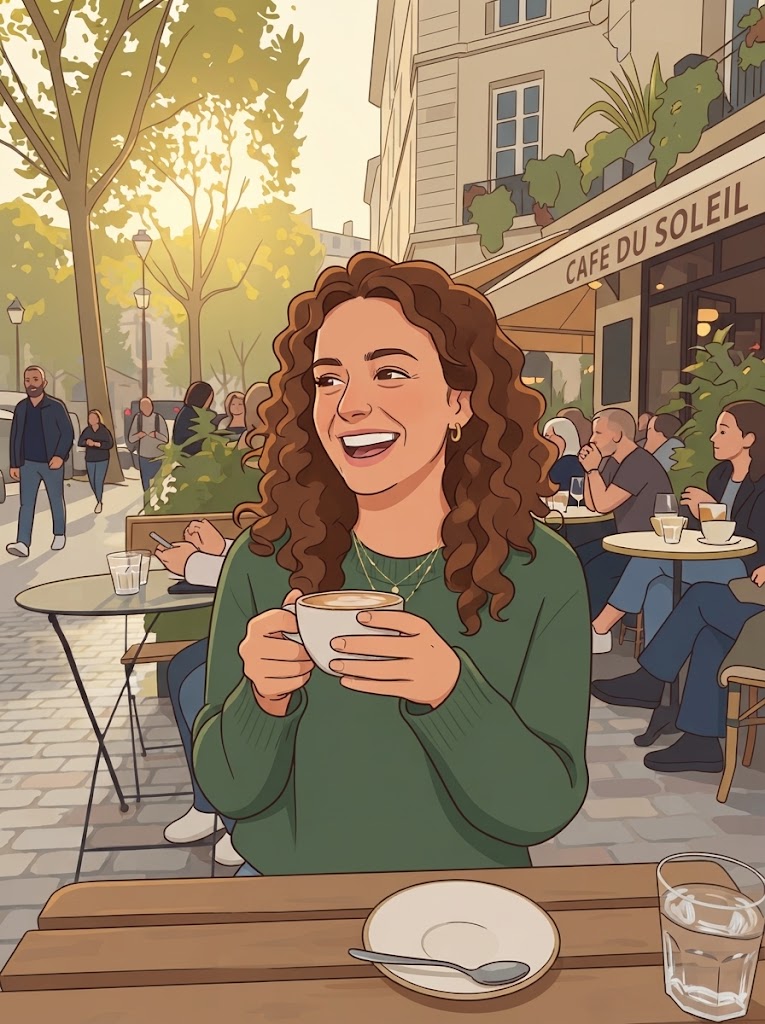
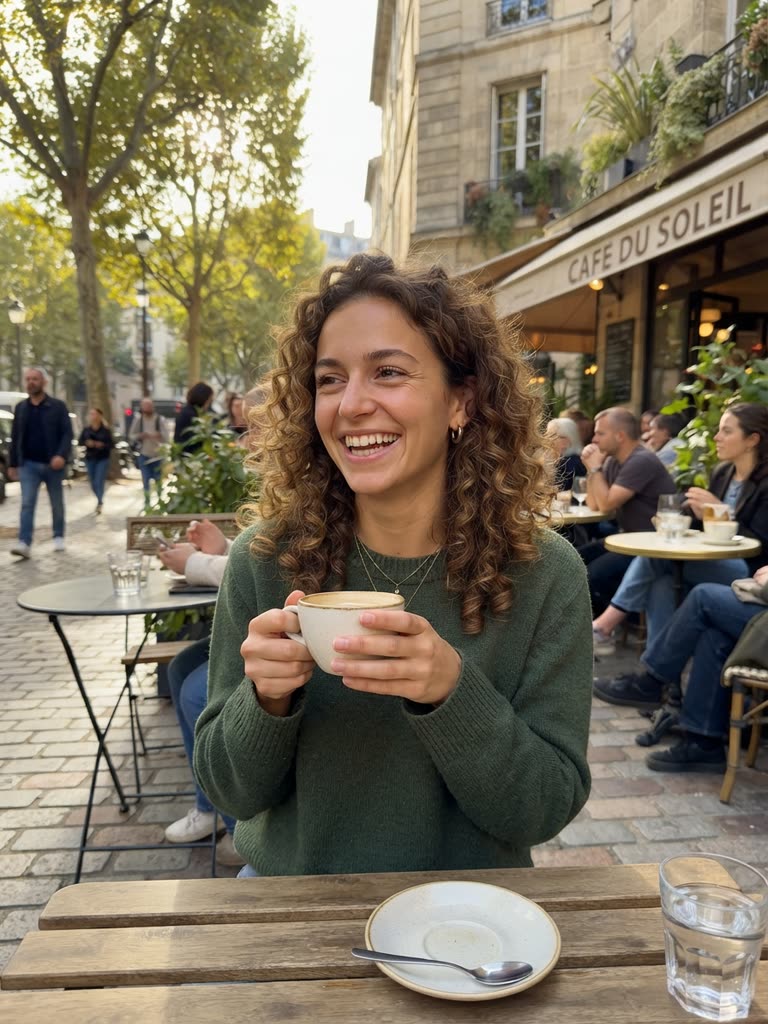
To do the AI cartoon trend, turn a real photo (you, your partner, your dog, your family) into a cartoon with an AI cartoon trend tool that keeps the likeness, then post the cartoon next to the original. The versions that get shared have a few things in common, and this guide covers them: the photo, the style, the formats (before/after, face reveal, couple, pet, "my family as a cartoon") and the mistakes that make a post fall flat.
On GenCartoon, the photo to cartoon converter returns a cartoon image that keeps the face, pose and background. Your first conversion is free with a free account, and you don't need a card or an app: it runs in the browser on a phone or a computer.
What the trend actually is
Every version is a likeness cartoon: the cartoon has to look like the person in the photo, with the same face shape, hair, glasses, outfit and pose. That is what makes viewers stop: "that is you, as a cartoon." It is different from generating a random cartoon character, so the tools that work for the trend are photo-to-cartoon converters, not general image generators.
Drag to compare
Step 1 — Pick the photo
- Clear light on the face, no heavy shadows.
- The subject fills the frame: a portrait, a half-body shot, or a couple standing close.
- A recognizable detail: glasses, a hat, a scarf, a signature hairstyle. The cartoon keeps it, and that is what people recognize.
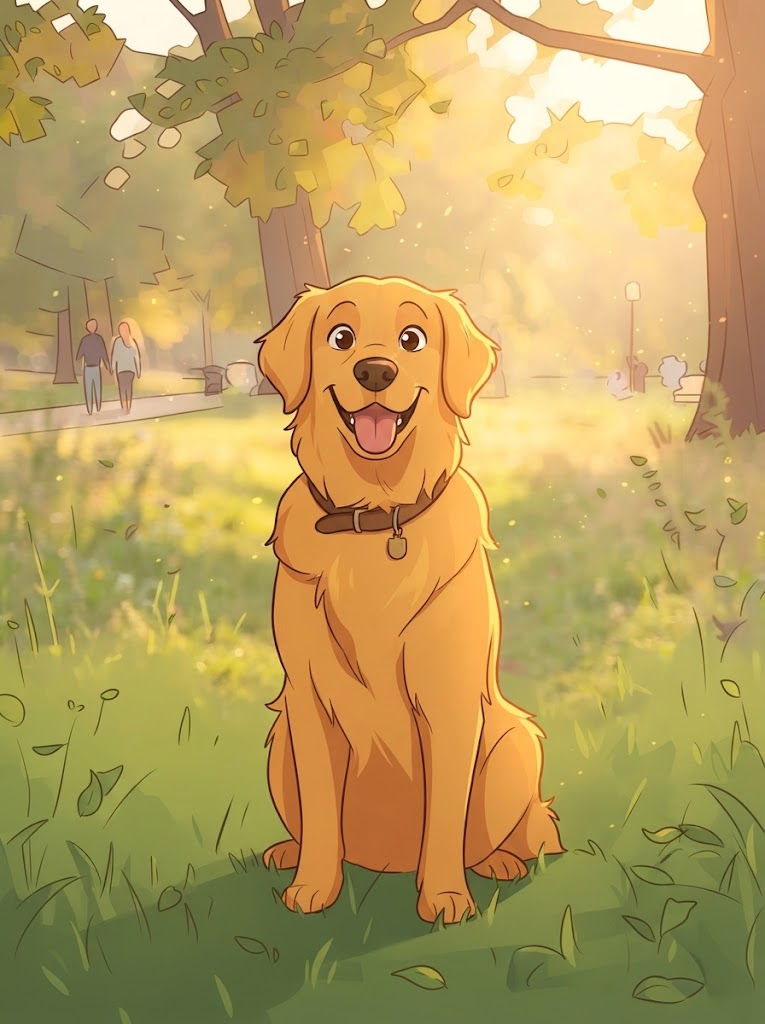
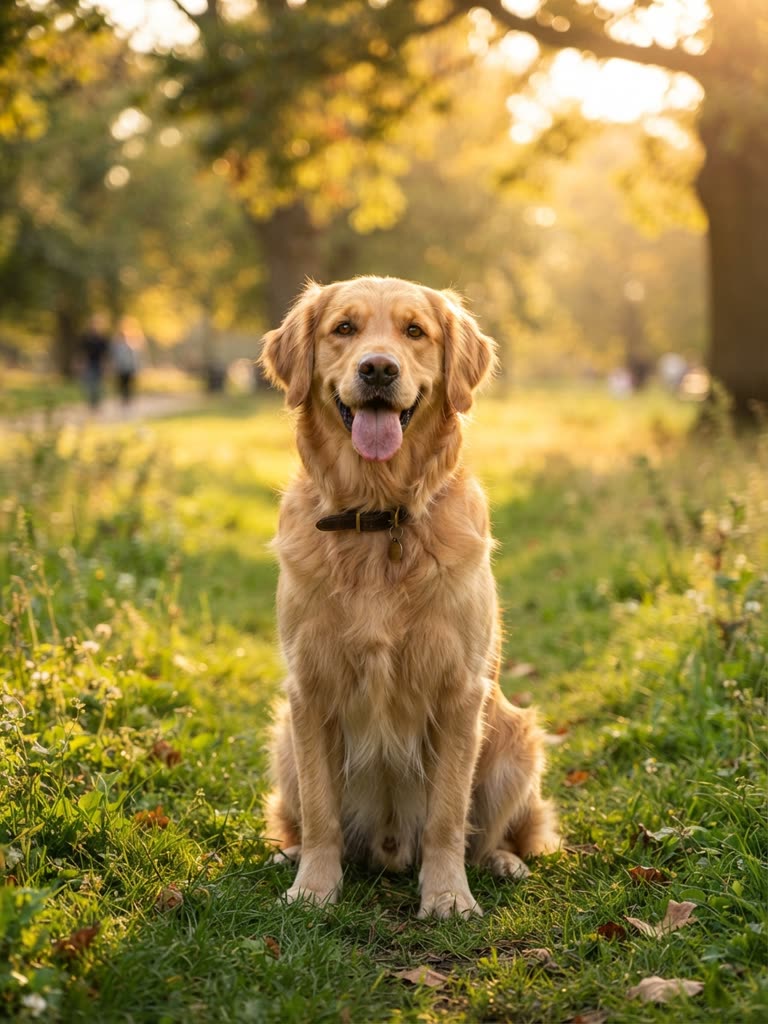
- For pets, a front-facing photo taken at eye level, with the eyes visible.
The full checklist, with troubleshooting, is in how to turn a photo into a cartoon.
Step 2 — Choose the style people share
The look that defined the trend is the 3D animated-movie style: big expressive eyes, soft lighting, a Pixar-style finish. It works because everyone reads it as "a movie character." Anime and comic-book versions travel well too, and a watercolor storybook style is the one families use for portraits with grandparents. If you leave the style box empty, GenCartoon draws its default look: vibrant 2D with bold, clean outlines and flat cel-shaded colors.
Step 3 — Convert it
Open the converter, upload the photo, describe the style in a few words ("Pixar-style 3D, warm light") and generate. Name the details you care about in the same note ("keep the round glasses and the gray beanie"): every try is a new conversion, and only your first conversion is free.
Step 4 — Post it the way the viral ones are posted
- Before/after side by side: the original on the left, the cartoon on the right, one line of text ("me as a Pixar character").
- The reveal: start on the cartoon, cut to the photo. Works as a 5-second vertical video and as a carousel.
- Cartoon face reveal: creators who never show their face post the cartoon version as their "face reveal." It is the safest reveal there is. More selfie variations are in turn yourself into a cartoon.
- Couples, families, friends: one photo, everyone cartoonized in the same style.
- Pets: your dog or cat as a movie character, posted next to the original photo.
Step 5 — Make the cartoon move (optional)
The trend's next step is motion, and there are two honest routes:
- Free: describe your cartoon look in one sentence in the cartoon maker ("a man with a gray beanie and round glasses waving at the camera, Pixar-style 3D") and get a 4-second animated clip with sound, free to start. It is drawn from your words, not your photo, so expect a resemblance rather than a likeness.
- Paid: in the Studio, a character can be based on your photo. Its reference sheet keeps the likeness, and the character appears in every scene of an episode. That is how a cartoon of you or your pet becomes a recurring series, the recipe behind viral AI cartoon channels.
Drag to compare
Why some posts get shared and others don't
- Likeness first. If the cartoon could be anyone, nobody cares. Keep the signature details.
- One clear style. Mixing styles in a carousel reads as random.
- Short caption, one line. The picture is the joke.
- Post vertical on TikTok, Reels and Shorts; square or carousel on Instagram.
- Do the whole friend group. Tagging people is the distribution, as long as everyone agreed to be in it.
Which tool is "the trending cartoon AI generator"?
Any tool that does photo-to-cartoon with a real likeness. What separates them: whether the first conversion is free, whether it keeps details, whether it runs on a phone, and what else you can do with the result. GenCartoon's converter gives the first conversion free, keeps the face, pose and background, and runs in the browser; on a paid plan the cartoon can become a recurring character in animated Studio scenes. A wider comparison is in best AI cartoon generators.
Safety and consent
Use your own photos, or photos you have permission to post, and ask before you cartoon anyone else. Avoid cartoonizing strangers or public figures. Never upload photos of children to public posts: if a family photo includes children, keep the cartoon for the family chat.
Trend variations that work in 2026
- The pet version. Your dog or cat as a movie character.
- The couple version. Both people in one photo, same style, posted as a pair.
- The family portrait. Everyone in one frame as a storybook illustration; grandparents love these (keep it within the family if there are children in it).
- The team. A group photo of colleagues or a sports team as a comic-book cover.
- The car, the house, the shop. Not just faces: a beloved object or place as a cartoon reads as affectionate.
- The face reveal. For faceless creators, the cartoon is the reveal.
Captions that travel
Keep it to one line and let the picture do the work: me as a Pixar character, my dog got the movie deal, we are a cartoon now, face reveal (sort of), ok this is actually us. Ask a question when you want comments: which one is more accurate?
Common mistakes
- A blurry or dark source photo. The cartoon inherits the problem.
- Mixing styles across a carousel. Pick one style per post.
- Cropping out the detail people recognize. The glasses, the hat, the haircut: keep them in frame.
- Posting only the cartoon. The before/after or the reveal is the format; the cartoon alone is just a picture.
- Using a photo of someone who did not agree. Use your own, or ask.
FAQ
How do I do the AI cartoon trend on TikTok?
Cartoonize a clear photo of yourself in the 3D animated-movie style, then post a short vertical reveal: the cartoon first, then a cut to the original photo. Add one line of text. A before/after carousel works too; keep one style per post and your signature details in the frame.
Which app is everyone using for the cartoon trend?
There isn't one app; the trend is a format, not a tool. What you need is a photo-to-cartoon converter that keeps your likeness. GenCartoon's runs in the browser on a phone or a computer, so there is nothing to install, and your first conversion is free with a free account.
Can I do the AI cartoon trend for free?
Yes. On GenCartoon your first photo-to-cartoon conversion is free with a free account: sign in with Google or an emailed code, no card. More conversions come with paid plans; All in One is $29.99 a month or $99 a year, with cheaper plans in some countries.
Can I do it with a pet or a group photo?
Yes. Pets and groups are cartoonized in one image and one style, keeping the pose and background. Pets work best photographed at eye level with the eyes visible; groups work best with two or three people close together. If the group includes children, keep the result out of public posts.
What is a cartoon face reveal?
A cartoon face reveal is posting a cartoon version of yourself as your "reveal" instead of your real face. It is popular with faceless creators who want to stay faceless. Cartoonize a clear selfie, keep your signature details, and post the cartoon where a face-on-camera reveal would go.
Can the cartoon move?
Yes, in two ways. Free: describe your cartoon look in the cartoon maker and get a 4-second animated clip with sound, free to start. On a paid plan, the Studio can base a character on your photo, and its reference sheet keeps the likeness in every animated scene.
GenCartoon Team
GenCartoon Team makes AI cartoons and writes about characters, scenes and animation workflows.
Make your own cartoon
Describe an idea in one sentence and watch it animate: a free 4-second cartoon to start, no card needed. Paid plans make clips of up to 8 seconds in HD 720p, without the watermark.
Cartoonize my photo freeRelated guides
How to Create Cartoon Faces in AI (Photo or Original)
How to create cartoon faces in AI: turn a photo into a cartoon face, or design an original one with a face prompt formula, expression keywords and styles.
ReadHow to Generate AI Cartoon Images (2026 Guide)
How to generate AI cartoon images: from a photo or a text prompt, the styles and prompt words that work, and which tools make images and which make videos.
ReadHow to Design a Cartoon Character for Free With AI
How to design a cartoon character for free with AI: silhouette, three-color palette, signature prop, expressions, a description template and a free test.
Read