
How to Turn a Photo Into a Cartoon With AI (Step by Step)
Turn a photo into a cartoon with AI, step by step: which photos work, which styles keep the likeness, how to fix drifted details. First conversion is free.
To turn a photo into a cartoon with AI, upload a clear photo to a photo to cartoon converter, add a short style note if you want a particular look, and download the cartoon it draws. Unlike a filter, the AI redraws the picture: same face, same pose, same dog, same room. This guide covers which photos convert well, the styles that keep a likeness, how to fix a detail that drifts, and what to do with the result.
On GenCartoon the converter returns a cartoon image, not a video; to make cartoon images from text instead, see how to generate AI cartoon images. It takes JPG, PNG or WebP files up to 10 MB and keeps the face, pose and background. With no style note it draws in vibrant 2D with bold, clean outlines and flat cel-shaded colors. Your first conversion is free with a free account (sign in with Google or an emailed code, no card); paid plans include more.
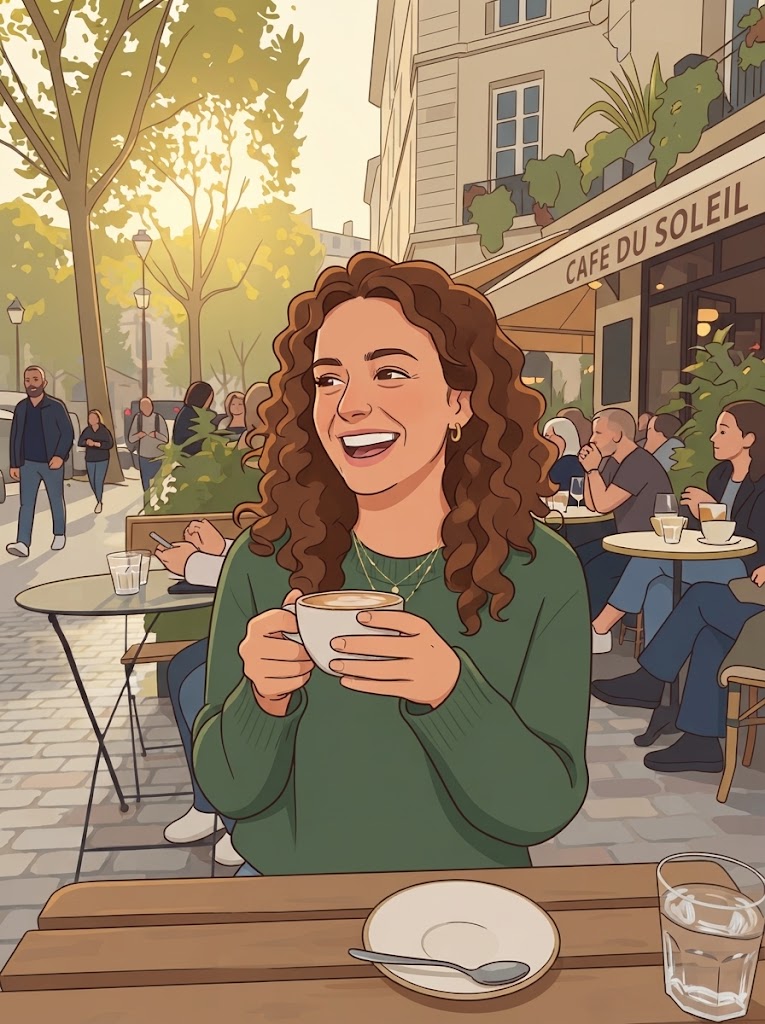
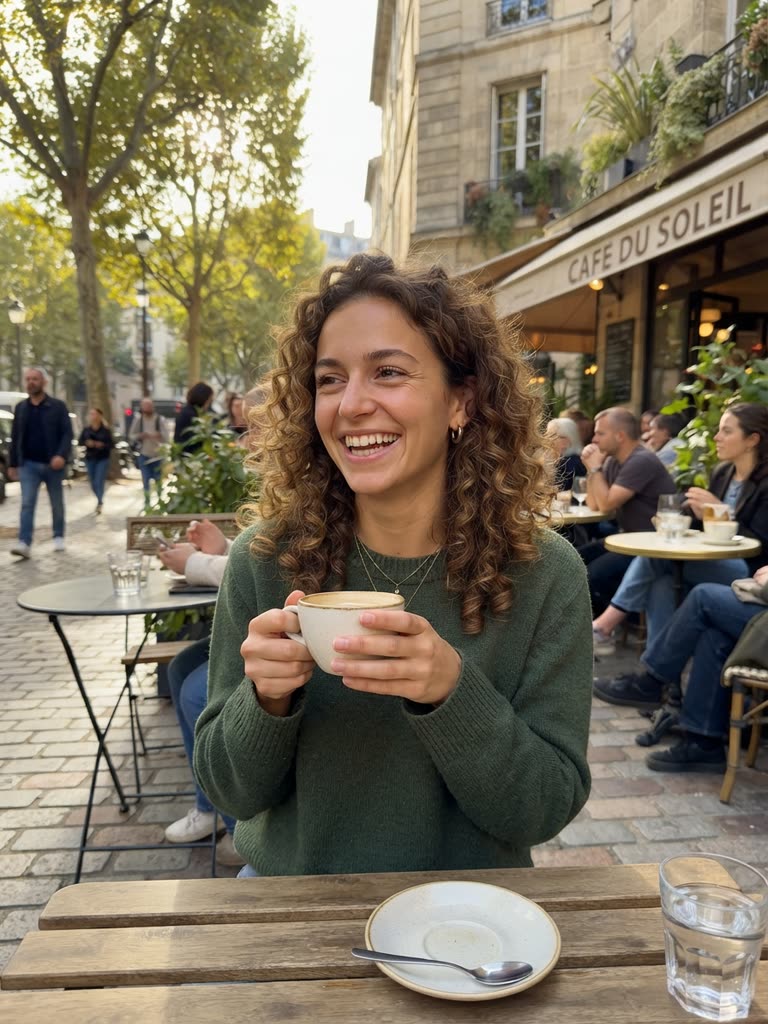
Drag to compare
Step 1 — Choose a photo that will convert well
- Sharp and well lit. Blur and heavy shadow give the AI less to work with.
- Subject close to the camera. A portrait or half-body shot converts better than a tiny figure in a landscape.
- Distinct details visible. Glasses, hats, hairstyle, a patterned shirt: the cartoon keeps these, and they are what make it recognizably you.
- Pets: face toward the camera, eyes open, photographed at eye level.
- Groups: everyone roughly the same distance from the lens. Each extra face gets fewer pixels, so two or three people convert better than ten.
Step 2 — Pick a style (this decides everything)
Leave the style box empty and you get the default look: vibrant 2D, bold clean outlines, flat cel-shaded colors. To change it, type a few words:
- 3D animated-movie ("Pixar-style 3D") — rounder features, larger eyes, soft studio light. The trend look, and flattering on almost everyone.
- Anime — stylized eyes, bold hair shapes, clean lines; keeps outfits well but simplifies faces.
- Comic book — ink outlines, strong shadows, halftone texture; heroic by default.
- Kawaii — everything rounder, softer and pastel; good for pets and greeting cards.
- Watercolor storybook — loose edges and a warm paper feel; the family-portrait style.
- Retro TV cartoon — flat colors, thick lines, simplified faces; nostalgic.
If likeness matters most, choose 3D animated-movie or comic book; if charm matters most, watercolor or kawaii. Ask for the likeness in the note itself: "Pixar-style 3D, keep the face and glasses accurate." For face-specific prompts and expressions, see how to create cartoon faces in AI.
Step 3 — Convert the photo
Open the converter, choose your photo and sign in. Type your style note (or tap one of the suggested styles) and click Cartoonify my photo. It usually takes under a minute. Download the cartoon image when it appears.
Step 4 — Fix a drifted detail
If the cartoon changed something that matters (hair color, glasses, a beard), try again and name it explicitly: "keep the round tortoiseshell glasses and the short gray beard." Naming details is more reliable than hoping the model notices them. Every try is a new conversion (the first is free, more come with a paid plan), so write the details you care about into the note before your first try.
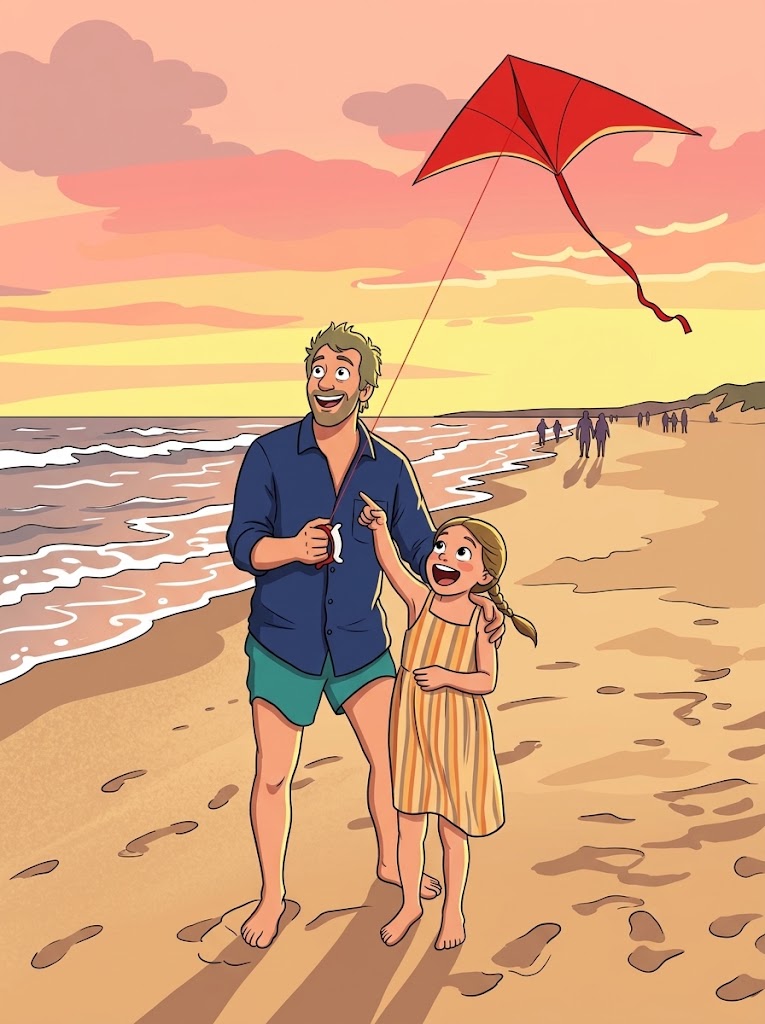
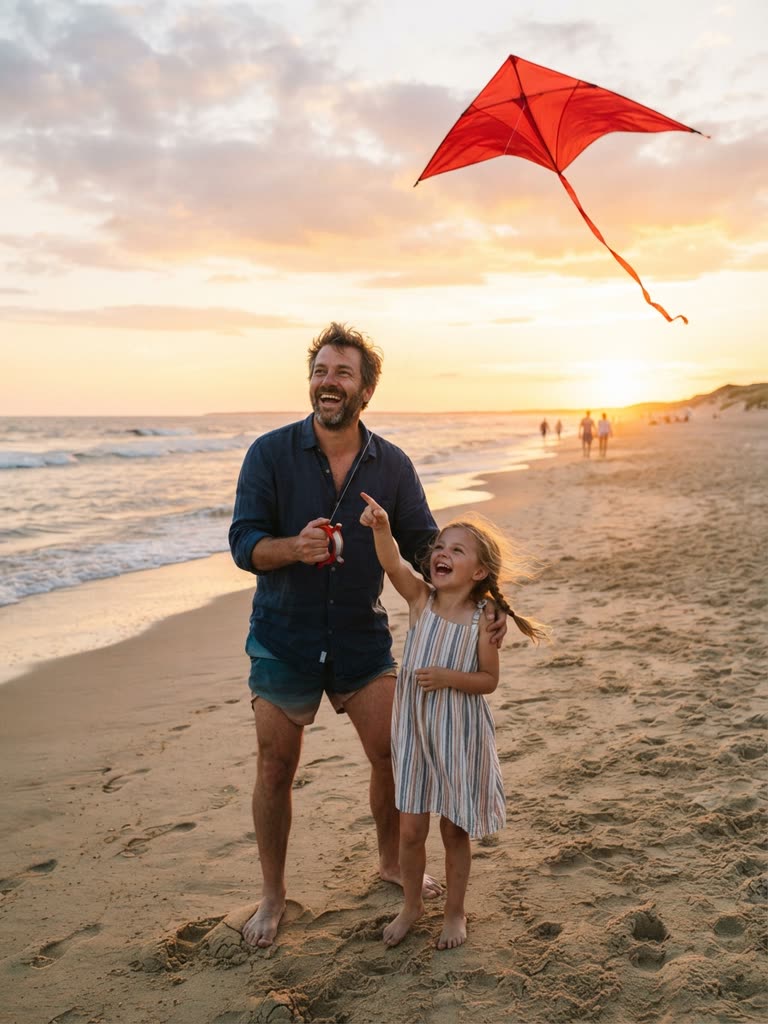
Drag to compare
Step 5 — Do something with it
- Post the before/after. It is the format behind the AI cartoon trend; for selfies, couples and the face reveal, see turn yourself into a cartoon.
- Make it your avatar. Profile pictures, channel art, stickers for the group chat.
- Make a card. Cartoonize the whole family for a birthday card or a fridge print.
- Make it move, on a paid plan. In the Studio, a character can be based on your photo; its reference sheet keeps the likeness, and that character can appear in every scene of an episode. Your dog can lead its own bedtime-story series made with the AI cartoon series generator.
- Make it move, for free. Describe the cartoon in one sentence in the cartoon maker and get a 4-second animated clip with sound (free to start). It is drawn from your words, not your photo, so expect a resemblance rather than a likeness.
Photo to cartoon vs a cartoon filter
A filter changes pixels (edges, colors), and the result looks like a photo with an effect. AI conversion draws a new image that reads as a cartoon while keeping the likeness: different proportions, real cartoon shading, one consistent style. If your result still looks like a photo, you used a filter.
Troubleshooting
- It doesn't look like me. Use a sharper, closer photo and name the details: "keep the freckles, the side parting, the hoop earrings."
- It changed my skin tone or hair color. Say so explicitly in the note; the model follows named instructions.
- Two people merged. Give each person one identifying detail in the note.
- The background is gone. Add "keep the background"; some styles simplify it.
- It looks like a filter. You used an effect app; an AI converter redraws the image.
- You wanted a video. The converter works on photos only and does not turn existing videos into cartoons; see the two ways to make it move above.
Consent and privacy
Use your own photos, or photos you have permission to use, and ask before you cartoon someone else: a cartoon of a person is still a picture of that person. Never upload photos of children to public posts, cartoon or not.
FAQ
How do I turn a photo into a cartoon for free?
Use GenCartoon's photo to cartoon converter: your first conversion is free with a free account and no card. Sign in with Google or an emailed code, choose a JPG, PNG or WebP up to 10 MB, add an optional style note and download the cartoon image. Paid plans include more conversions.
Will the cartoon look like me?
Yes, if the photo is clear and your face is large in the frame. The converter keeps the face, pose and background; to protect a detail such as glasses, a beard or a hairstyle, name it in the style note. The 3D animated-movie and comic-book styles keep the most facial structure.
Can I turn a picture of my dog into a cartoon?
Yes. Pets convert well when the photo is taken at eye level, with the face toward the camera and the eyes open. The 3D animated-movie and storybook styles suit dogs and cats, and on a paid plan the same photo can become a recurring pet character in animated Studio episodes.
Can I turn the cartoon into a video?
On a paid plan, yes: use the photo or the cartoon as a character and the Studio animates it in scenes. The converter itself makes cartoon images. For a free moving clip, describe the cartoon in the cartoon maker and get a 4-second animated clip, free to start.
Which app turns photos into cartoons?
You don't need an app: GenCartoon's converter runs in the browser on a phone or a computer, so there is nothing to install. Upload from your camera roll, download the cartoon image and post it wherever you like. Whichever tool you use, it should redraw the photo rather than filter it.
Is a photo to cartoon converter just a filter?
No. A filter changes the pixels of your photo; an AI converter draws a new cartoon image that keeps the likeness, with cartoon proportions, outlines and shading. If the result still looks like your photo with an effect on top, it came from a filter, not a converter.
GenCartoon Team
GenCartoon Team makes AI cartoons and writes about characters, scenes and animation workflows.
Make your own cartoon
Describe an idea in one sentence and watch it animate: a free 4-second cartoon to start, no card needed. Paid plans make clips of up to 8 seconds in HD 720p, without the watermark.
Cartoonize my photo freeRelated guides
Script to Video AI: Turn a Script Into a Cartoon (2026)
Script to video AI for cartoons: format a script for a model, split it into one-action scenes, render them with a fixed cast, and what is really free.
ReadHow to Design a Cartoon Character for Free With AI
How to design a cartoon character for free with AI: silhouette, three-color palette, signature prop, expressions, a description template and a free test.
ReadHow to Create AI Cartoon Characters That Stay Consistent
Create an AI cartoon character once and keep it recognisable in every scene: an identity sentence, a signature detail, a style line and a reference sheet.
Read