Photo to Cartoon AI — Free Converter with Real Before & After (2026)
Convert a photo to a cartoon with AI, free for your first image: the source-photo rules, three real before/after sliders, style choices, privacy, and how to animate your cartoon self.
Can AI cartoonize a photo? Yes, and it does it better than any filter did, because it redraws the picture rather than tinting it. On GenCartoon, the Image to Cartoon tool turns a photo into a cartoon in about a minute and the first one is free. Below: how to get a result you would actually post, with three real before/after sliders you can drag.
Can AI cartoonize a photo?
The model recognizes what is in the photo, a man in a denim jacket squinting at the sun, and draws that again as a cartoon in the style you choose. It keeps the loud features, silhouette, hair, glasses, expression, and simplifies skin, fabric and background. That is what "photo to cartoon ai" means in 2026 and it is why the results look drawn rather than processed.
The source photo decides half the result
Every ai photo to cartoon generator is only as good as its input. The rules:
- Light from the front. Window light or open shade. Harsh side light becomes hard black shapes.
- Face takes up a third of the frame or more. Crop before uploading if it does not.
- Both eyes visible, no sunglasses. Eyes carry expression; the model needs them.
- No heavy filters. Beauty filters have already removed the detail the cartoonist needs.
- Still, not blurred. Motion blur turns into smeared shapes.
A plain, well-lit phone photo beats a dramatic one every time.
Convert a photo to a cartoon: the five-minute version
- Open Image to Cartoon and upload the photo.
- Pick a style preset or type a note: "Pixar-style 3D, keep the beard and the denim jacket".
- Press Cartoonify. About a minute.
- Check the anchors. Missing glasses? Wrong hair color? Add it to the note and run again.
- Download. If the person is you, you now have a cartoon self; if it is a friend, see the privacy section first.
Three real before and after examples
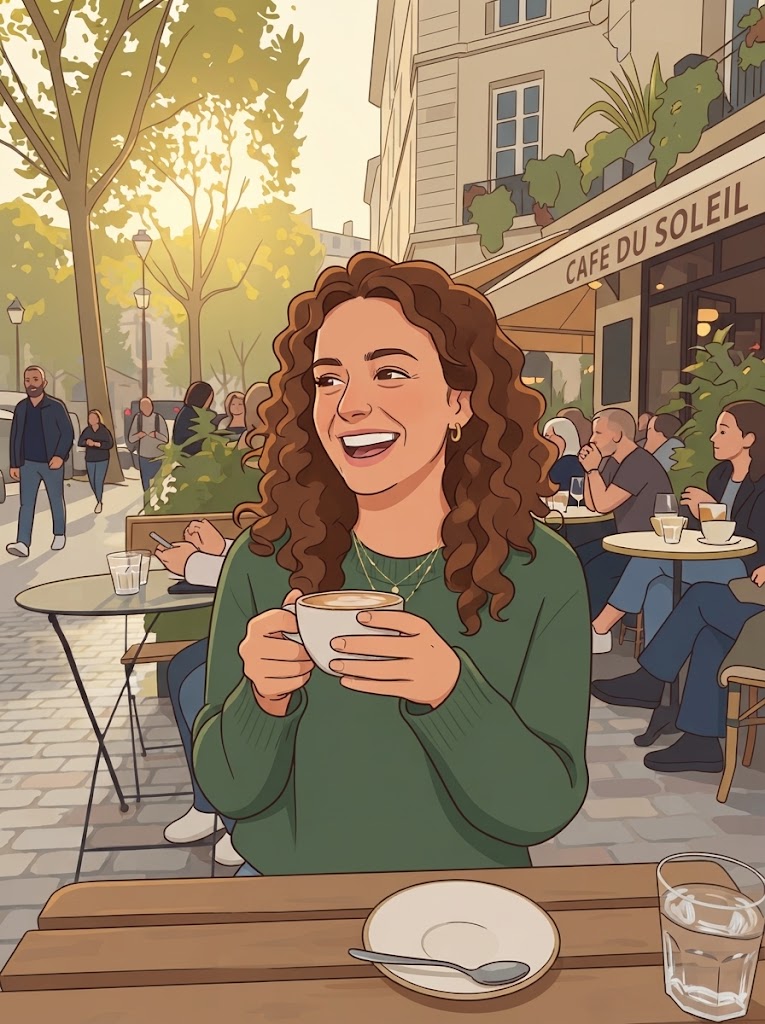
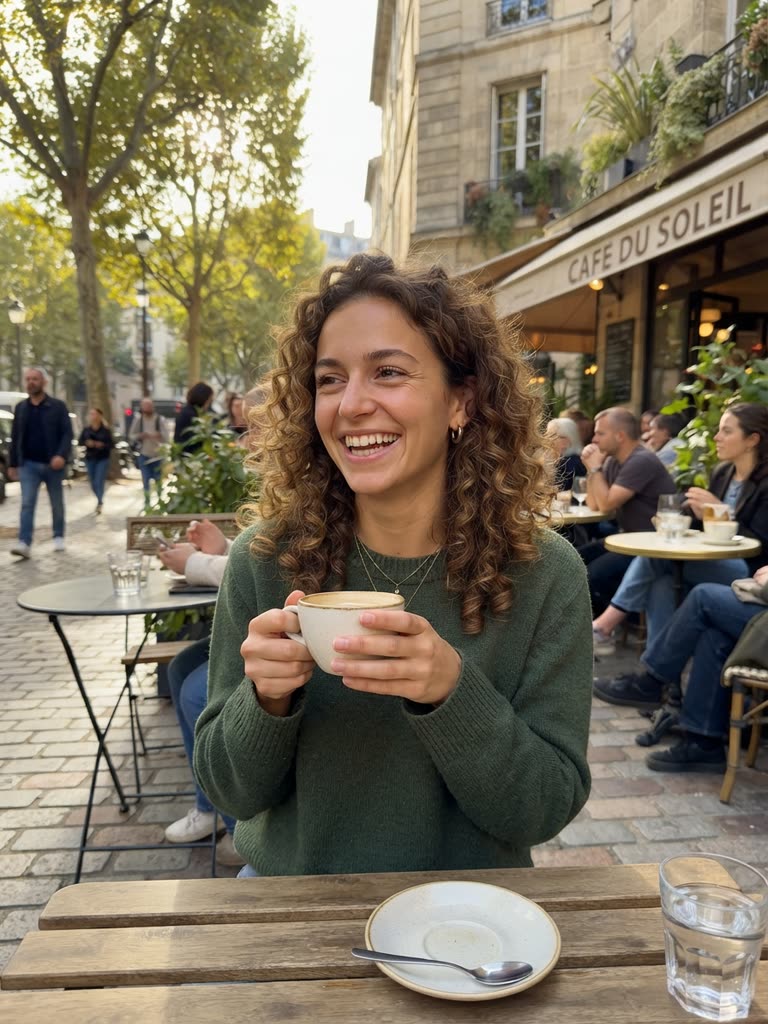
Drag to compare
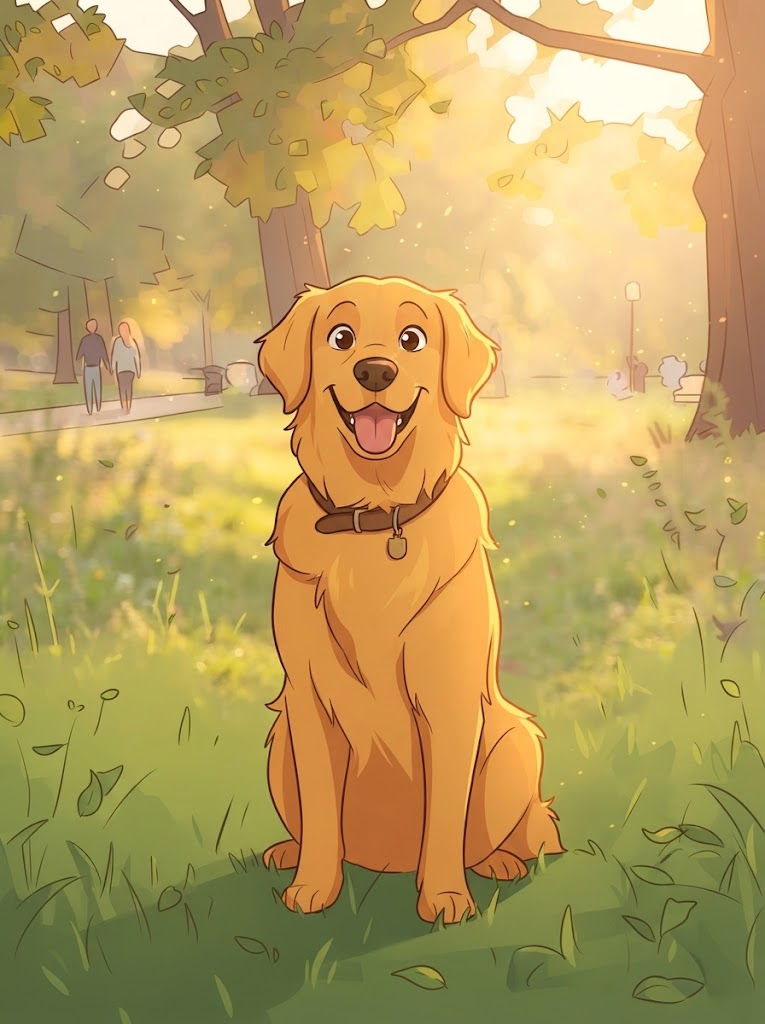
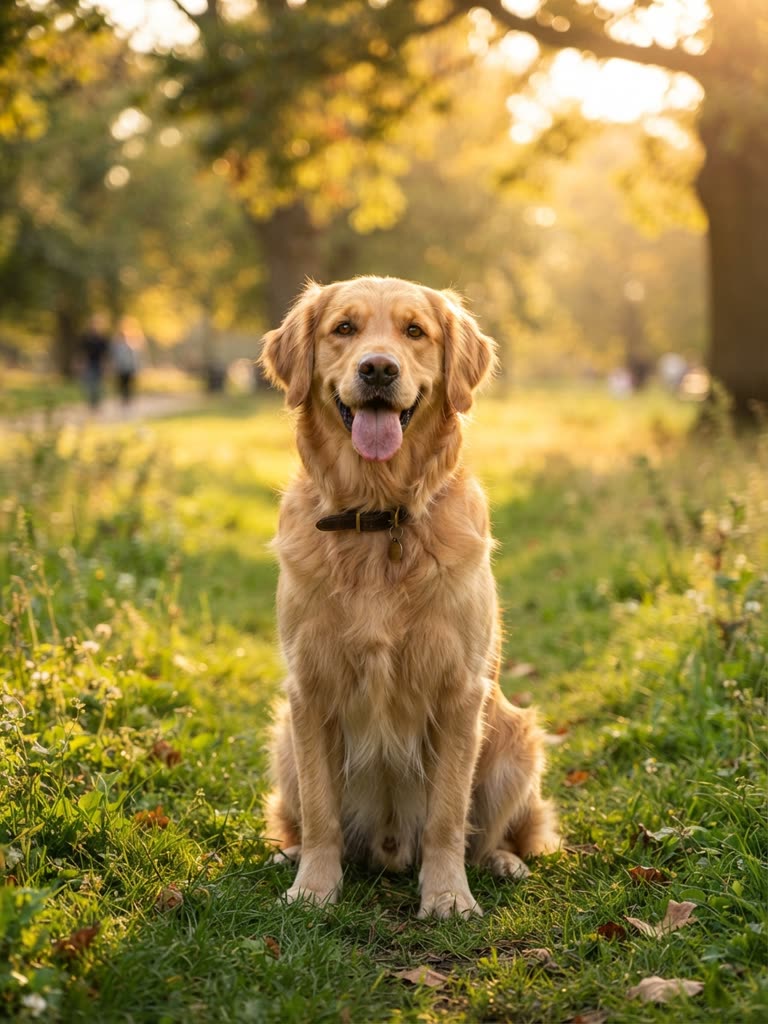
Drag to compare
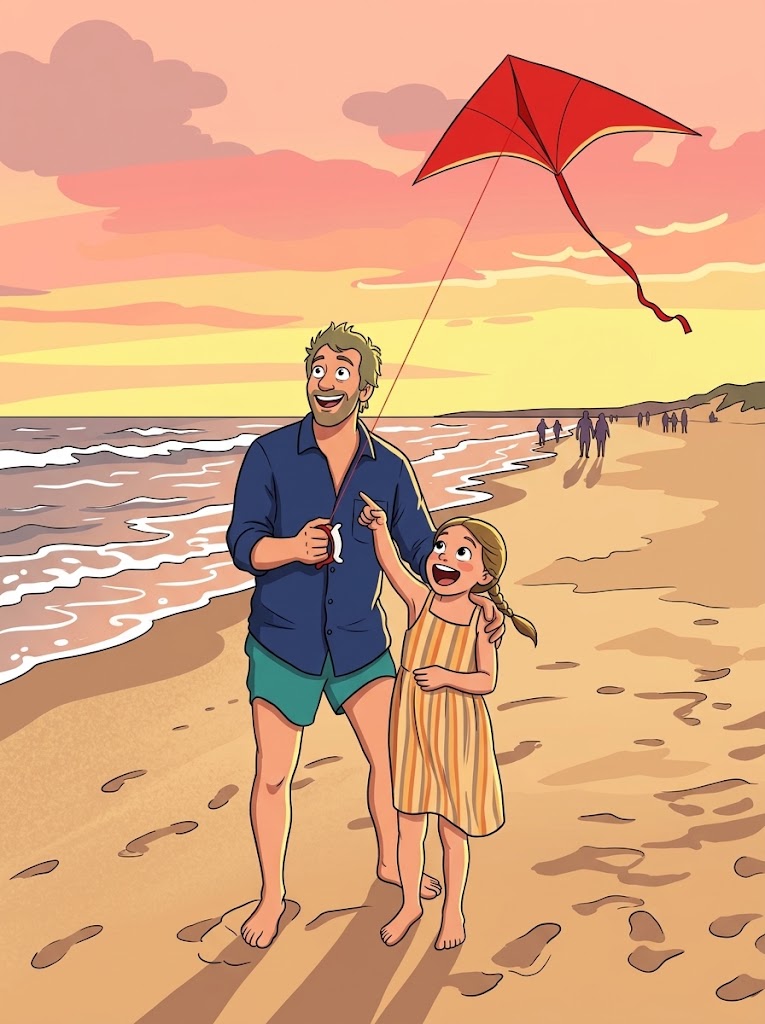
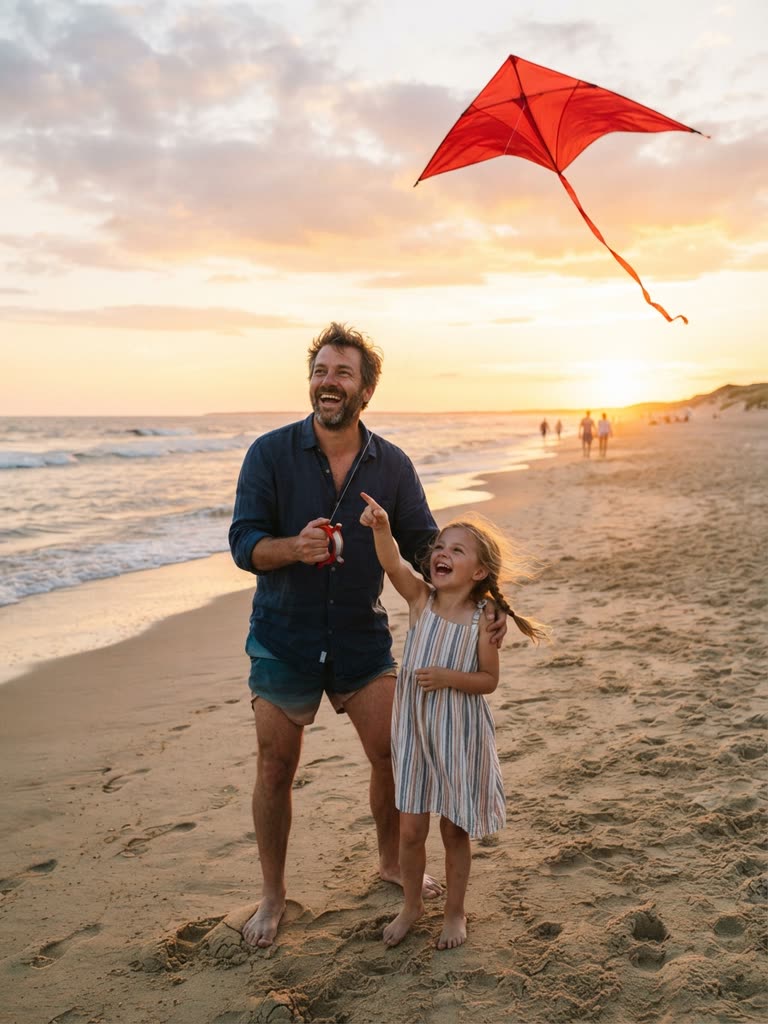
Drag to compare
In all three, the pose and the composition are untouched. That is the difference between "create cartoon from photo" and "generate a cartoon that vaguely resembles a photo": the picture stays yours.
Choosing a style for a person
- Pixar-style 3D keeps the most facial structure. The default for a recognizable result.
- Comic-book ink flatters adults and dramatic lighting.
- Saturday-morning 2D is charming but simplifies faces; the likeness then rests on hair and accessories, so name them.
- Anime works on solo portraits, struggles with groups.
- Watercolor storybook is the kindest to kids, grandparents and pets.
If you want a cartoon character creator from photo for a series rather than a single image, run the same photo with the same note each time; the results read as one character. The AI cartoon character generator guide explains how character sheets take that further.
Privacy: where your photo goes
Your upload is used to generate your cartoon and is stored with your account so you can find the result again; it is not published unless you choose to share it. Cartoonizing someone else is fine for friends who have said yes. For other people's photos, ask first. The turn yourself into a cartoon guide has a short section on consent and the "cartoon face reveal" format.
Animate your cartoon self
A still is the beginning. Describe the cartoon you got, Pixar-style 3D, a man with a short beard and a denim jacket grins and gives a thumbs-up on a sunny street, and paste it into Create Cartoon. You get a 4-second animated clip of that character. Chain a few beats and you have a video; the step-by-step method shows how, and the AI cartoon trend guide shows the formats people post.
Free tools for photo to cartoon right now
Search results for "what are the free photo to cartoon tools available right now?" mix three kinds of things: one-tap filter apps, AI image tools that need a prompt, and dedicated converters. GenCartoon's converter is the third kind with the second kind's flexibility: presets for speed, a free-text note for control, and a free first image. After that it is part of Pro ($29.99 a month or the €99-a-year deal). The wider free AI cartoon generator comparison lays the categories side by side.
Related searches
People reach this guide by searching for:
- ai photo to cartoon generator
- photo to cartoon ai
- photo to cartoon ai free
- photo to cartoon free
- create cartoon from photo
- cartoon maker from photo
- photo to cartoon generator
- ai turn photo into cartoon
- cartoon generator from photo
- converting photo to cartoon
- free convert photo to cartoon
- convert photo to cartoon
- turn this photo into a cartoon
- can i turn my photo into a cartoon
- photo into cartoon free
- turn photo into cartoon free
- transform photo to cartoon
- photo cartoon generator
- cartoon photo generator
- can ai cartoonize a photo
- ai photo to cartoon free
- ai photo to cartoon generator free
- photo to cartoon online free
- photo to cartoon converter online free
- cartoon character creator from photo
- what are the free photo to cartoon tools available right now?
FAQ
Can I turn my photo into a cartoon for free? Yes, your first cartoon image on GenCartoon is free. Later images are part of Pro and cost a few credits each.
Does the cartoon look like me? With a good source photo and a structure-keeping style like Pixar-style 3D, yes. Name your anchors, glasses, hair, beard, in the style note to protect them.
Can I convert a group photo? Two or three people close together work well. Large groups lose detail per face; cartoonize each person from a solo photo instead.
What file do I get? A downloadable image. Describe it in a text prompt to get an animated MP4 clip of the same character.
GenCartoon Team
GenCartoon Team makes AI cartoons and writes about characters, scenes and animation workflows.
Make your own cartoon
Describe an idea in one line and watch it animate. Your first one is free.
Create your cartoonKeep reading
Turn Yourself into a Cartoon: Face, Selfie or Friends (2026)
Turn yourself into a cartoon from a selfie or a one-line description, free. Group photos, the cartoon face reveal format, random face ideas, and consent tips.
ReadAI Animated Movies — How to Make an Animated Movie with AI (2026)
Learn how to make AI animated movies: plan acts, lock a consistent cast with character sheets, generate single-shot scenes, and assemble a short film.
ReadHow to Make Cartoon Videos Using AI (Step by Step, 2026)
The complete step-by-step method to make cartoon videos using AI: write the idea, shape the prompt, generate a clip in a minute, then chain scenes into a longer video.
Read