AI Animated Movies — How to Make an Animated Movie with AI (2026)
Learn how to make AI animated movies: plan acts, lock a consistent cast with character sheets, generate single-shot scenes, and assemble a short film.
AI animated movies are no longer a studio-only product: one person with a story idea can write a cast, generate scenes one at a time, and assemble them into a short animated film in an afternoon. The trick to how to make a cartoon movie with AI is to think like a feature director at a short length, with acts, scenes, and a consistent cast, instead of firing off unrelated clips and hoping they cut together. This guide walks through that process with GenCartoon and embeds real generated mini-movies so you can see the output before you start.
What "AI animated movies" means in 2026
Let's set expectations honestly. An AI generated animated movie made with today's tools is not a 90-minute feature rendered in one pass. It is a sequence of short generated clips, each one a single shot with a single speaker or action, that share the same characters, style, and story, stitched together in order. Think of it as a short film built from a storyboard, where every panel is rendered as a clip.
That framing tells you where the work actually is. The generator handles drawing and motion. You handle structure: which scenes exist, who is in them, and what changes from one to the next. Get the structure right and the clips cut together like a movie. Skip it and you get a highlight reel of unrelated cartoons.
On GenCartoon there are two ways to work. The free generator on the home page turns one idea into one clip: your first cartoon is free, at 480p and four seconds, and it arrives in about a minute. The Studio, unlocked on Pro, is where movies happen. You define a cast, break a story into scenes, and the Studio renders each scene and assembles the finished units into a movie for you. For the broader feature overview, see the AI cartoon movies guide; this post focuses on the craft of how to make cartoon movies with AI that people actually want to watch.
Step 1: Think in acts before you think in prompts
Every watchable cartoon movie, from a two-minute short to a feature, runs on the same three-act skeleton: a setup that shows the world and the want, a middle where something goes wrong, and an ending that pays it off. Write yours as three sentences before you touch the generator. Here is the example we will carry through the guide:
- Act 1: A shy fox apprentice works in a wizard's potion shop and dreams of brewing something impressive.
- Act 2: Left alone for a night, she tries a forbidden recipe and turns the shop's cat into a floating, glowing balloon-cat.
- Act 3: She has to reverse the spell before the wizard returns, and succeeds by admitting the mistake and reading the instructions properly.
Now break each act into two to four scenes. A scene is one location and one beat: "fox stares longingly at the locked cabinet," not "fox has an adventure." Short generated clips reward small, specific beats. A dozen scenes is already a one- to two-minute short with a real shape, which is the sweet spot for an AI animation movie built this way. To go longer, the AI cartoon long form guide explains how to scale scene counts without losing the thread. Stuck on a premise? Borrow one from the cartoon ideas generator and reshape it into three acts.
Step 2: Lock your cast with character sheets
The number one thing that makes AI animation movies look amateur is a hero whose face, outfit, or proportions drift between scenes. Audiences forgive rough animation; they do not forgive the protagonist becoming a different character halfway through.
In the Studio you solve this before generating a single scene by building a character sheet for each cast member: a multi-view turnaround in a fixed style, plus a written description that anchors details like "orange fox, oversized purple apprentice robe, round glasses, one bent ear." Every scene that includes that character references the same sheet, so the renderer works from the same visual anchor each time instead of re-imagining the character from your prompt.
Three habits that hold up in real projects:
- Keep the cast small. Two or three named characters is plenty for a short.
- Give each character one silhouette-level trait. A hat, a scarf, a single odd color. These survive generation far better than fine details.
- Decide the style once and reuse the exact wording in every scene description.
For a deeper walkthrough of designing a cast, see the AI cartoon character generator guide. The same sheets carry over if you later want the fox to star in a recurring animated series instead of a one-off film.
Step 3: Write one AI animated movie scene at a time
Now translate each scene into a description the generator can render. A good AI animated movie scene prompt has five parts, in roughly this order:
- Who: the character by name, so the Studio links it to the sheet.
- Where: the location, with one or two concrete details.
- What happens: a single action or a single line of dialogue, not a sequence.
- Camera: close-up, medium shot, or wide establishing shot.
- Mood: lighting and tone in a few words.
Example for Act 2, scene 2: "Medium shot. Pip the fox, in her oversized purple robe, pours a shimmering green liquid into a bubbling cauldron in the dim potion shop, candles flickering. She whispers 'just a little more.' Nervous, mischievous mood."
Notice what is not there: no "and then the cat floats and the wizard comes back." One shot, one speaker, one beat. This is the same discipline that makes real storyboards work, and it is why the Studio renders scenes as single shots. Clips that try to cover three things at once come out muddled, with characters talking over each other. If you are working from a written script, the script to video AI guide shows how to chop dialogue into shot-sized pieces.
Generate the scene, watch it, and re-roll only the ones that break the story. Every clip does not need to be perfect. Every clip needs to be consistent and clear.
Step 4: Assemble scenes into a movie
This is where the Studio earns its keep as a cartoon movie generator. Once the scenes in a project have finished rendering, the Studio assembles them in order into a single movie. You are not hand-splicing dozens of downloads in an editor; you set the scene order, let the renderer work through the queue, and come back to a finished cut.
Two assembly habits make the result feel like a film rather than a playlist. Open and close on a wide establishing shot so the short has a frame, and alternate shot sizes (wide, medium, close, medium) because two identical framings back to back read as a stutter. If you need the final cut sharper for a bigger screen, run it through the AI video upscaler after assembly rather than upscaling individual scenes.
Watch real AI animation movies made this way
The clip below was generated with the process above: a small cast, scene-by-scene prompts, assembled in the Studio. Watch how the fox keeps the same robe, glasses, and proportions across shots. That is the character sheet doing its job.
The same technique produces episodic work. Here the cast stays fixed while the situation changes each time, which is exactly how you would spin a movie's characters into a show later.
Free vs Pro: what you need for a cartoon movie
You can learn the whole workflow for free, and everything runs in the browser, so you can make AI animation movies online without installing anything. Log in, describe one scene from your outline, and you get a 480p, four-second clip in about a minute. That is enough to test whether your style wording and character description produce what you pictured. Do this with your protagonist before committing to a full project.
Making the actual movie needs the Studio, which comes with Pro at $29.99 a month or the €99-per-year deal. Pro also unlocks HD output and longer clips, so each scene has room for a full beat, plus Image-to-Cartoon and the character sheets described above. The Studio handles both films and shows from the same cast, so nothing you build is wasted.
From a photo to a cartoon movie
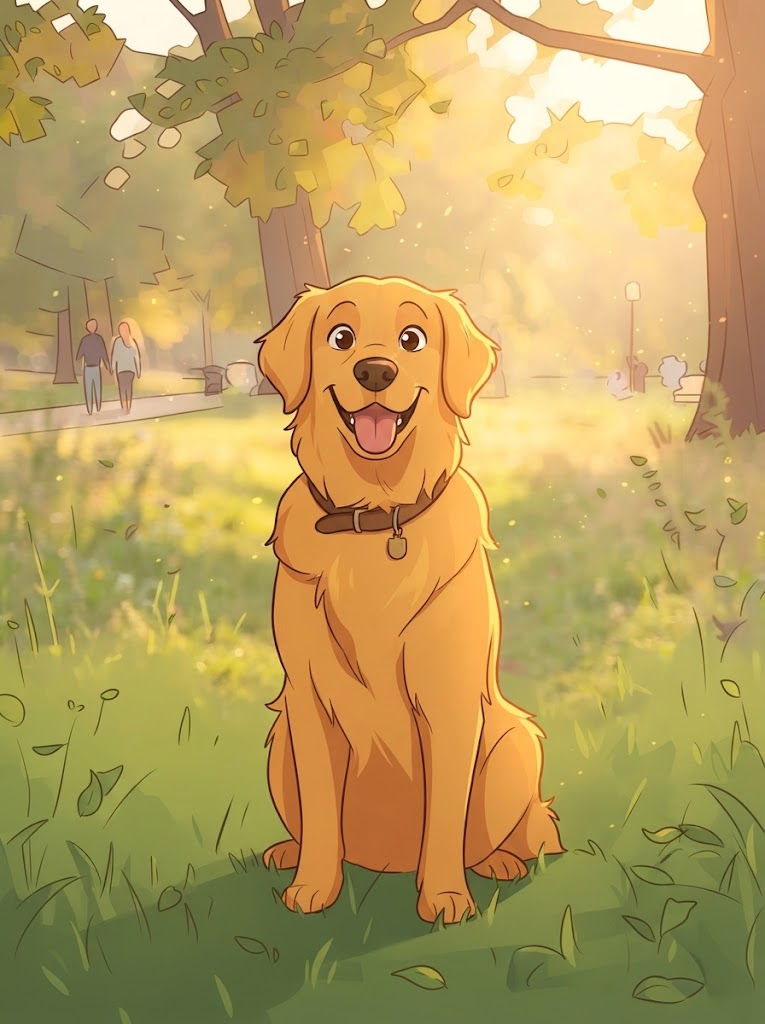
One underused route into a cartoon movie AI project is starting from real photos. Take a picture of your dog, your kitchen, or yourself, run it through Image to Cartoon, and use the cartoonized result as the visual reference for a character sheet. Your movie's cast ends up recognizably your world in cartoon form, which is a strong hook for family films, brand stories, or a personal short.

Drag to compare
To be clear about what does and does not exist: GenCartoon cartoonizes still images and generates cartoon video from text. There is no tool that converts an existing video into a cartoon frame by frame. The honest workflow is to cartoonize a still, lock that look into a character sheet, and then generate new animated scenes that feature it.
Related searches
People reach this guide by searching for:
- ai animated movies
- ai movie cartoon
- ai animation movies
- ai animation movie
- ai generated animated movie
- ai movie animated
- animated ai movies
- movie cartoon movie cartoon
- ai animated movie scene
- cartoon movie ai
- cartoon movie generator
- how to make cartoon movies with ai
- how to make a cartoon movie
- ai animation movies online
FAQ
How long can an AI animated movie be?
Length is a function of scene count. Each scene is a short clip, so a dozen scenes gives you a one- to two-minute short, and larger projects scale from there by adding scenes rather than stretching individual shots. Plan the story first and let the runtime follow.
How do I keep characters consistent across scenes?
Build a character sheet for each cast member in the Studio before generating scenes, and reference the character by name in every scene description. Keep the cast small and give each character one bold visual trait. Re-roll any scene where the character drifts rather than accepting it.
Can I make a cartoon movie for free?
You can generate your first cartoon free as a 480p, four-second clip, which is the right way to test a character and style. Assembling multiple scenes into a movie with a consistent cast uses the Studio, which is part of Pro at $29.99 a month or the €99-a-year deal.
Can I turn my own video into an animated movie?
Not directly; there is no video-to-cartoon converter. You can cartoonize a still frame or photo with Image to Cartoon, use that as the reference for a character sheet, and then generate new animated scenes around it. The result is a cartoon version of your world, animated fresh rather than traced.
GenCartoon Team
GenCartoon Team makes AI cartoons and writes about characters, scenes and animation workflows.
Make your own cartoon
Describe an idea in one line and watch it animate. Your first one is free.
Create your cartoonKeep reading
Turn Yourself into a Cartoon: Face, Selfie or Friends (2026)
Turn yourself into a cartoon from a selfie or a one-line description, free. Group photos, the cartoon face reveal format, random face ideas, and consent tips.
ReadHow to Make Cartoon Videos Using AI (Step by Step, 2026)
The complete step-by-step method to make cartoon videos using AI: write the idea, shape the prompt, generate a clip in a minute, then chain scenes into a longer video.
ReadCan AI Create Cartoon Videos? Yes — Here's Exactly How It Works (2026)
Can AI create cartoon videos? Yes. A plain-language explanation of how text-to-video cartoon models work, what they do well today, where they fail, and how to make one free.
Read