The AI Cartoon Trend 2026 — How to Do It on TikTok, Facebook & Instagram
How to do the AI cartoon trend in 2026: the formats that get shared (face reveal, before/after, viral characters), the style presets that work, step by step, and why it keeps going viral.
The AI cartoon trend in 2026 is not one filter; it is a set of formats built on one move: a real photo or a one-line idea becomes a cartoon in about a minute, and people show the transformation. If you searched "how to do the ai trend" after seeing a cartoon face reveal on your feed, this is the whole recipe, using GenCartoon where the first cartoon is free.
What the trend looks like this year
Three things changed from the earlier waves:
- Motion. Stills started it; clips carry it now. A cartoon of you that waves is shared more than a cartoon of you that sits.
- Characters, not just portraits. Viral characters 2026 are recurring: the same cartoon person or pet appears in post after post with a running joke.
- Cross-platform. TikTok and Reels for the clip, Facebook for the before/after photo pairs that older audiences share.
How to do the AI cartoon trend, step by step
- Pick the photo. Front-lit, face a third of the frame, no sunglasses, no heavy filter.
- Cartoonize it in Image to Cartoon: choose Pixar-style 3D for the most recognizable result, or try two or three presets for a sequence.
- Optional, but this is what makes it 2026: animate it. Describe the cartoon you got, Pixar-style 3D, a man with a short beard and a green hoodie grins and points at the camera, and generate a 4-second clip in Create Cartoon.
- Assemble the reveal. Cartoon for two seconds, hard cut to the real photo or your face on camera, caption along the lines of "asked AI to turn me into a cartoon".
- Post vertical. 9:16, the clip is already that shape. If the 480p free clip looks soft next to camera footage, run it through the free video upscaler or render HD on Pro.
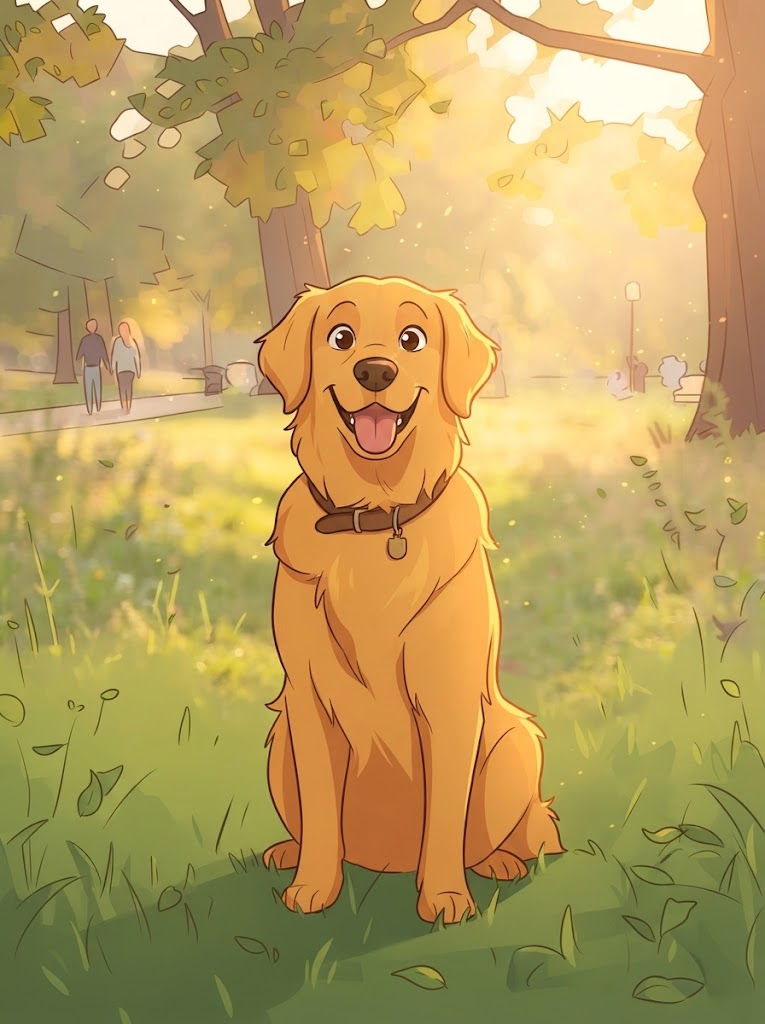
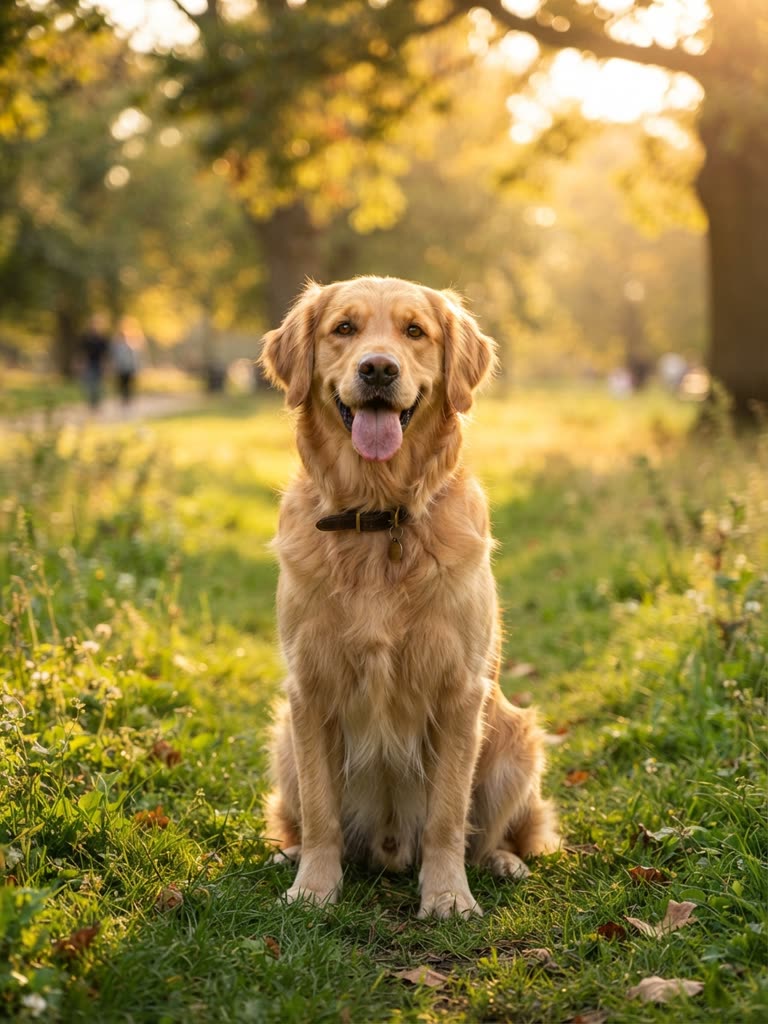
Drag to compare
Three formats that get shared
The cartoon face reveal. Cartoon first, real face second. Viewers stay to judge the likeness, and staying is the metric. Details in turn yourself into a cartoon.
The before/after pair. One image, split down the middle, exactly like the slider above. This is the Facebook version of the trend; it works on couples, pets and family photos, and it does not need video.
The recurring character. The cartoon version of you, or your dog, or your coffee mug, shows up weekly with a small story. This is where "trending toon ai" posts become an audience. It needs one thing the one-off posts do not: consistency, which is what a character sheet in the Studio gives you.
Styles that are trending
An ai cartoon style generator is only as trendy as the style you pick. Right now, in rough order of what gets shared:
- Pixar-style 3D — the default of the trend. Flattering, recognizable, safe.
- Retro Saturday-morning 2D — thick outlines, flat colors, nostalgia.
- Anime — strong on solo portraits, weaker on groups.
- Storybook watercolor — the pet-and-kids favourite.
- Comic-book ink — for dramatic photos and adults.
Try two on the same photo; the difference between them is itself a post.
Why it keeps going viral
Because it is personal and cheap to join. Every viewer can make their own in a minute, and every share is an invitation. The transformation is also inherently visual: no caption needed, no language barrier, which is why the same format spreads across countries in days. The how to do the AI cartoon trend guide has the platform-level details, and the trending cartoon AI generator post covers the tools people are using.
Turn the trend into a channel
A single reveal gets a spike. A character gets subscribers. When the reveal works, write the character down as a sheet, two visual anchors, a palette, a prop, and start posting four-second clips of them doing one small thing a week. The cartoon show generator guide turns that into episodes; if the clips earn attention, the affiliate program pays 30% recurring for anyone who joins through your link.
Related searches
People reach this guide by searching for:
- how to do ai cartoon trend
- how to do the cartoon trend
- how to do the ai trend
- trending toon ai
- viral toon ai
- ai cartoon 2026
- cartoon viral 2026
- viral characters 2026
- ai cartoon style generator
FAQ
Which app is the AI cartoon trend made with? Any image to cartoon tool works for the still; GenCartoon adds the animated clip and a free first cartoon, in the browser, no app install.
Is the AI cartoon trend free to do? Your first cartoon image and first clip are free. HD and no watermark are part of Pro.
Do I need to show my face? No. Cartoonize your pet, your desk, your city, or invent a character from words. The before/after format works on anything.
How do I make the cartoon move? Describe the cartoon you got and generate a clip from that text. Four seconds is plenty for a reveal.
GenCartoon Team
GenCartoon Team makes AI cartoons and writes about characters, scenes and animation workflows.
Make your own cartoon
Describe an idea in one line and watch it animate. Your first one is free.
Create your cartoonKeep reading
Turn Yourself into a Cartoon: Face, Selfie or Friends (2026)
Turn yourself into a cartoon from a selfie or a one-line description, free. Group photos, the cartoon face reveal format, random face ideas, and consent tips.
ReadAI Animated Movies — How to Make an Animated Movie with AI (2026)
Learn how to make AI animated movies: plan acts, lock a consistent cast with character sheets, generate single-shot scenes, and assemble a short film.
ReadHow to Make Cartoon Videos Using AI (Step by Step, 2026)
The complete step-by-step method to make cartoon videos using AI: write the idea, shape the prompt, generate a clip in a minute, then chain scenes into a longer video.
Read