
Toon Maker: Make an AI Toon Online, Free (2026)
A toon maker that runs in your browser: type one sentence, get an animated toon with sound in about a minute. Free to start, nothing to install.
A toon maker turns a written idea into an animated cartoon, a toon, without any drawing; think of it as an animation maker for cartoons. Type one sentence into GenCartoon's toon maker, such as a grumpy cloud tries to rain on a picnic and keeps missing, flat 2D toon, and usually about a minute later you have an animated clip with sound, drawn by a model rather than by hand. It runs in your browser, and every account can make a free toon.
The free toon is a 4-second vertical clip at 480p with a small watermark. Paid plans make 4-, 6- or 8-second clips in HD 720p without the watermark and bring the credits for Studio 2.0, where the same characters return in episode films of 15 seconds to 3 minutes. All in One costs $29.99 a month or $99 a year.
What a toon maker does in 2026
Three things, in a browser, with nothing installed:
- Text to toon. One sentence with a style, a character and an action becomes an animated clip: 4 seconds on the free toon, up to 8 seconds on a paid plan. The step-by-step guide to cartoon videos has the prompt formula.
- Photo to toon. Upload a picture and get a toon version of it: a cartoon image that keeps the face, pose and background. That is Photo to Cartoon, and your first conversion is free.
- Toon shows. On a paid plan, the Studio keeps one cast consistent across many scenes and assembles episodes. The AI cartoon series guide explains the format.
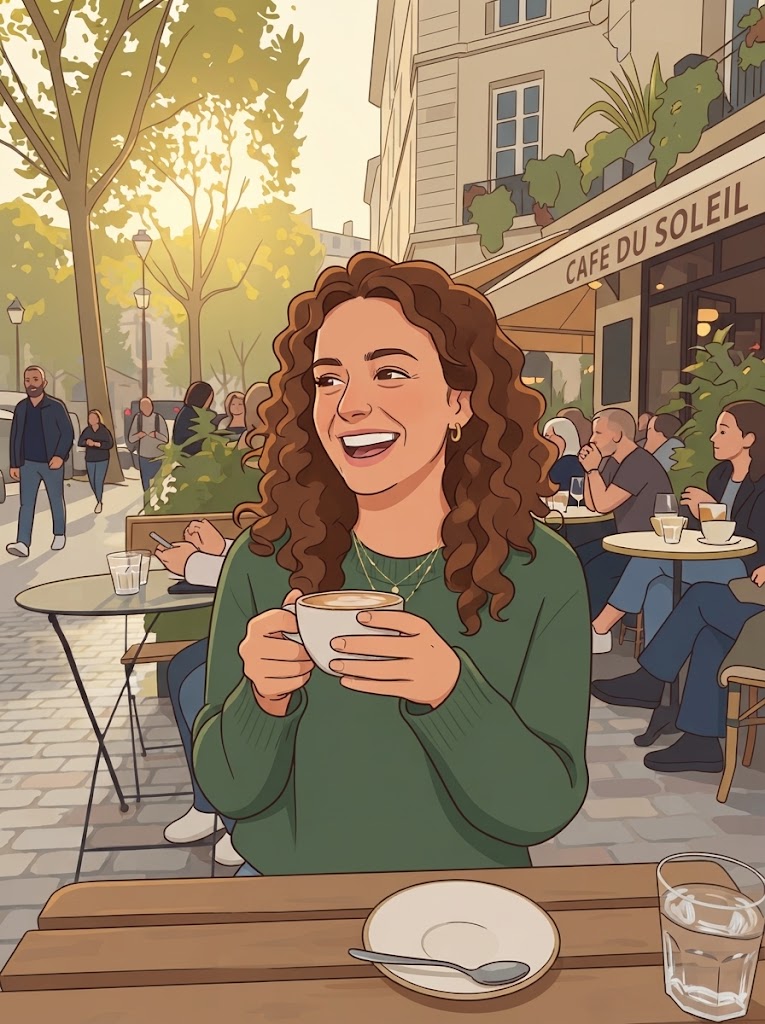
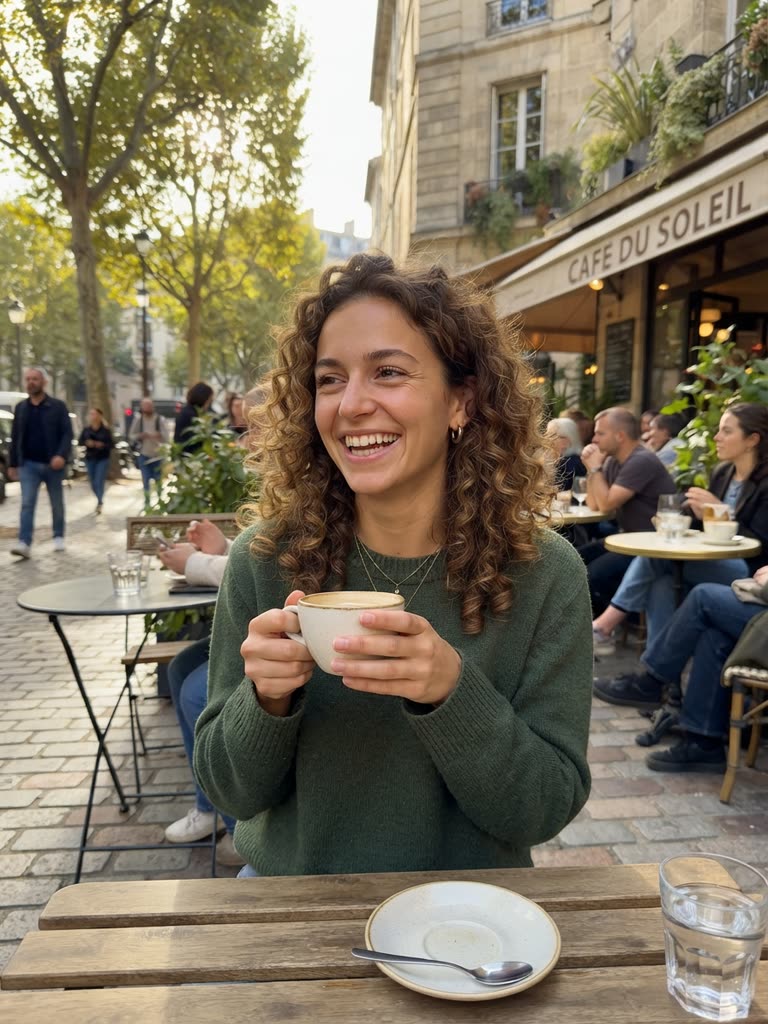
Drag to compare
Make a toon in one minute
- Open the toon maker and sign in with Google or an emailed code: no password, no card.
- Type: Classic 2D toon, thick outlines. A tiny dragon with oven mitts pulls a burnt cake out of a volcano and shrugs.
- Generate. Watch it in the page, download the MP4, or change one word and go again.
If the toon leans photoreal, put the style words first. If the character changed mid-clip, give it a second visual anchor, such as a red scarf or round glasses. Those two fixes solve most first attempts.
Toon maker, toon creator, toon generator: same tool, different word
People type toon maker, toon creator and toon generator interchangeably, and an AI toon generator is the same thing with the method named; the AI cartoon generator guide explains how the models behind it work. There is one real distinction worth knowing: a toon maker online generates from text or a photo, while classic toon-maker software gave you a timeline and stock characters to arrange by hand. The generated kind is what GenCartoon does: nothing is arranged by hand and nothing needs installing. The free animation websites guide compares the two approaches.
If you want to recreate a cartoon you already have, describe the new version and generate it: the toon maker draws new frames from your description. It does not edit an existing video or turn a video into a cartoon, and it should not be asked for copyrighted characters, so describe your own.
People sometimes search for GenCartoon as 'gen toon'; GenCartoon is not affiliated with GenToon (gentoon.ai).
From one toon to a toon show
A single toon is a post. A recurring toon is a channel. Write your character down once (two visual anchors, a palette, a prop) and use a free toon to try one small action at a time. When the character earns attention, move to the Studio on a paid plan, where a reference sheet keeps it on-model across episodes.
Toon styles cheat sheet
Pick one line and put it first in your prompt:
| Style line | Look | Best for |
|---|---|---|
| classic 2D toon, thick outlines, flat colors | Saturday-morning | gags, kids' content |
| 3D animated-movie toon, soft lighting | feature-film 3D | portraits, brand characters |
| rubber-hose 1930s toon, black and white | vintage | music clips, nostalgia |
| anime toon, large expressive eyes | anime | solo characters, drama |
| storybook watercolor toon | soft illustration | pets, bedtime stories |
Change only the style line and keep the rest of the prompt identical; the difference between two renders is itself a post. The AI cartoon trend guide shows which looks people are sharing.
Three toons you can make right now
- A reaction toon. Classic 2D toon. A round owl spits out its coffee and stares at the camera. Post it as a reply.
- A photo toon. Turn a selfie into a toon in Photo to Cartoon (the first conversion is free). On a paid plan, that toon can then become a recurring character in animated Studio scenes.
- A product toon. 3D animated-movie toon. A cheerful water bottle does a victory lap around a gym. The business guide turns that into a campaign.
If you would rather not write prompts, the free toon idea generator rolls a character, setting, goal and twist for you, with no account needed, and sends the idea straight to the toon maker.
FAQ
Is the toon maker free?
Yes, to start: every account can make a free toon, a 4-second vertical clip at 480p with sound and a small watermark. All in One ($29.99 a month or $99 a year) removes the watermark and adds HD 720p, 8-second clips and the Studio. More on what is actually free.
How long is a toon?
A single toon is 4 seconds on the free tier and 4, 6 or 8 seconds on a paid plan. In Studio 2.0, toons grow into episode films of 15 seconds to 3 minutes and series of up to 6 episodes, all with the same characters.
Can I make a toon of myself?
Yes. Upload a selfie to Photo to Cartoon and you get a cartoon image that keeps your face, pose and background; the first conversion is free. On a paid plan, the toon version of you can become a recurring character in animated Studio scenes.
Does the toon maker work on a phone?
Yes. GenCartoon's AI cartoon generator runs in any phone or computer browser with no app to install, and every toon is a vertical 9:16 video sized for TikTok, Reels and YouTube Shorts. You sign in with Google or an emailed code, so there is no password to remember.
Can I post my toons on YouTube or TikTok?
Yes. The toons you make are yours to post and monetize on YouTube, TikTok, Instagram and elsewhere. Free toons carry a small GenCartoon watermark, and every paid plan removes it. Describe your own characters rather than copyrighted ones, and follow each platform's rules for AI-generated content.
GenCartoon Team
GenCartoon Team makes AI cartoons and writes about characters, scenes and animation workflows.
Make your own cartoon
Describe an idea in one sentence and watch it animate: a free 4-second cartoon to start, no card needed. Paid plans make clips of up to 8 seconds in HD 720p, without the watermark.
Make my cartoon freeRelated guides
Can AI Create Cartoon Videos? Yes — Here's How (2026)
Can AI create cartoon videos? Yes. How text-to-video cartoon models work, what they do well today, where they still fail, and how to make one free.
ReadWhat Is an AI Cartoon? How AI Cartoons Are Made (2026)
An AI cartoon is a cartoon image or video made by AI from a sentence or a photo. How AI cartoons are made, what they cost, and how to make your own.
ReadAI Cartoon Maker for Kids: A Parent and Teacher Guide
How parents and teachers make cartoons for and with kids using AI: kid-safe prompts, bedtime stories as cartoons, classroom ideas and the 13+ account rule.
Read